How I got free cinema credit by ordering -2 popcorns
A missing input validation on M-Tix Cinema XXI's food ordering API let me increase my account balance by submitting negative quantities. No tools needed — just a browser.
M-Tix is the official app for Cinema XXI in Indonesia — you use it to book movie tickets and (as of recently) order food and drinks. One day I noticed they'd added a new feature: in-app food ordering. Before this, you had to buy snacks at the counter.
New feature = new attack surface. I decided to poke at it.
Reconnaissance
I logged into M-Tix through Firefox and opened the Network tab to watch traffic. My account balance at the time: Rp 95,000.
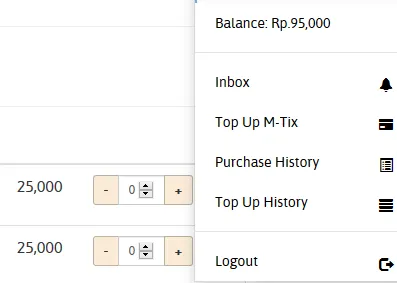
First thing I did was open the food ordering page and watch the network traffic. I wanted to see what endpoints get called, what parameters are sent, and what the response looks like — all from the Network tab.
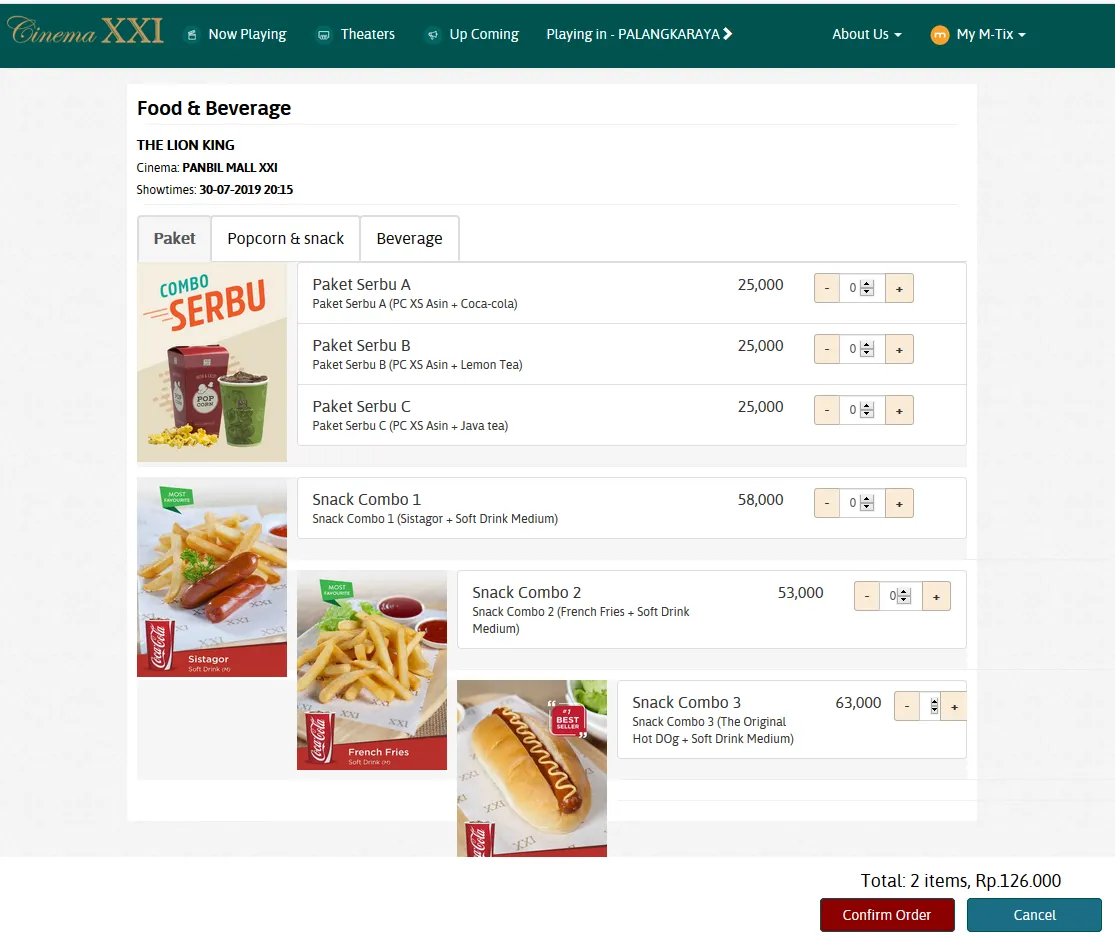
Capturing the request
I figured the browser was enough for this — no need to fire up Burp. To see the full request data without actually spending my balance, I intentionally ordered more than I could afford. The total exceeded my balance, so the order failed — but the Network tab captured the complete request (endpoint, headers, body, and response).
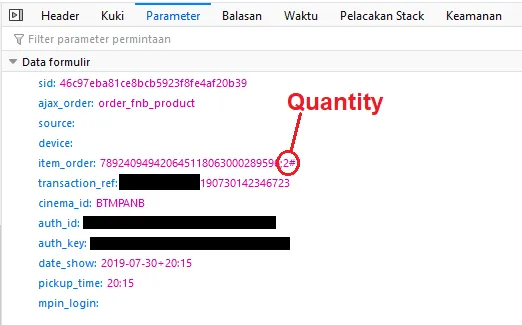
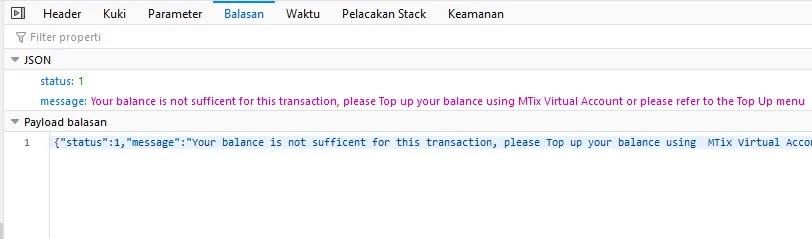
This is a useful technique when you don't have an intercepting proxy — trigger a safe failure to expose the request structure.
The hypothesis
Looking at the request body, I noticed the quantity field. From experience testing e-commerce APIs, I know that numeric input fields are one of the most commonly unvalidated parameters. The pattern:
- The frontend UI uses a number picker (min=1)
- Developers assume the UI enforces the constraint
- The backend never validates if the value is actually positive
If the server calculates charge = quantity × price and then balance = balance - charge, a negative quantity would flip the math — the balance goes up instead of down.
Testing it
I modified the request data, changing the quantity value to -2, and sent it.
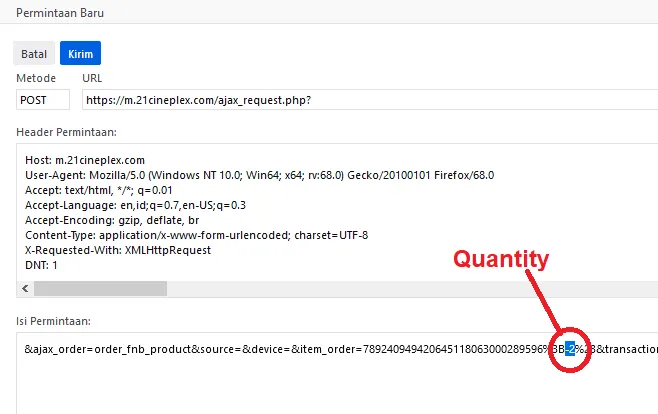
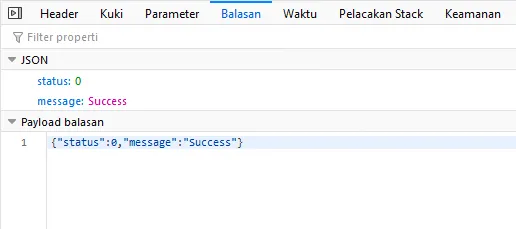
The server accepted it. No error. No validation. Response: success.
Impact
The math:
balance = balance - (quantity × price)
balance = 95,000 - (-2 × 63,000)
balance = 95,000 - (-126,000)
balance = 95,000 + 126,000
balance = 221,000
My balance went from Rp 95,000 to Rp 221,000 — without paying anything.
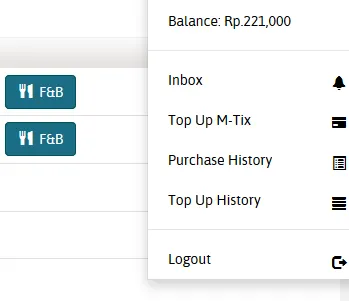
Repeatable with any quantity and any item. An attacker could add unlimited credit, then use it to buy real tickets and food.
Root cause
Missing server-side validation on the quantity parameter. The API accepted any integer — including negatives — without checking if quantity >= 1. The client-side UI prevented negative input, but the API didn't enforce it.
Why this happens:
- UI-driven development — the frontend number picker only allows positive values, so devs assume that's enough
- No schema validation — the API doesn't validate the request body against a strict schema with minimum values
- New feature, rushed release — food ordering was recently added, likely without security review
Methodology notes
- No special tools needed. Firefox DevTools was enough — Network tab to capture, Console to replay with modifications.
- Trigger errors to capture data. When you can't intercept, make the request fail safely to see its structure.
- Test boundary values first. Before complex attacks, try: 0, -1, very large numbers, decimals. These catch most input validation bugs.
Takeaway
Never trust client-side validation. If your API accepts a number from the client, validate it server-side — type, range, and business logic. A UI constraint is not a security control.
Related posts
- Security
How I analyze API security headers in 30 seconds
A quick checklist for reading HTTP response headers and spotting security misconfigurations before you even look at the response body.
May 18, 2026 · 7 min - Security
Common auth mistakes I find when reverse-engineering APIs
After years of poking at APIs that weren't meant to be poked at, these are the auth patterns that break most often — and why.
May 18, 2026 · 9 min - API RE
What your JWT tokens reveal about your backend
JWTs are meant to be opaque to users. They're not. Here's what I learn about your architecture just by decoding one.
May 18, 2026 · 8 min